RuneScape Dragonwilds crossplay and cross-progression guide
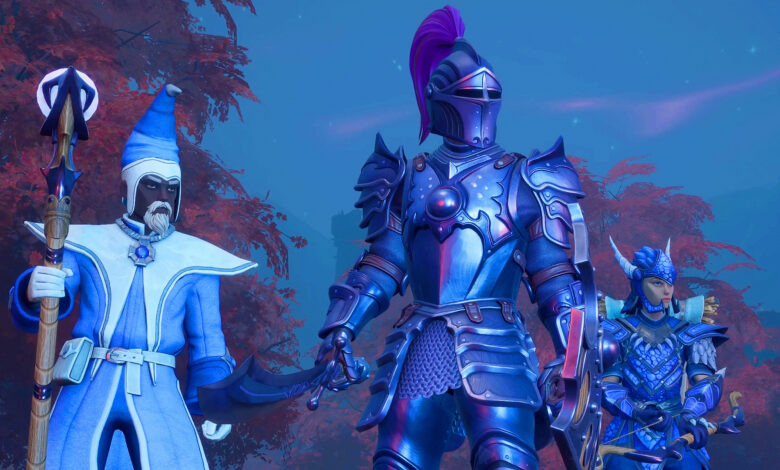
Exploring Ashenfall is a blast, but like any good survival crafting game, it’s better with friends. That’s where RuneScape Dragonwilds crossplay comes into play. Whether you’re playing on Nintendo Switch 2, PS5, Xbox Series X|S, or PC, bringing your squad together is where the fun really begins. But how does it work?
We’ll answer that and all of your questions about RuneScape Dragonwilds cross-progression too, so make yourself a Rat Roast, boil some water, and get ready for some goblin slaying with your pals.
Does RuneScape Dragonwilds have crossplay?
Yes, RuneScape Dragonwilds supports crossplay across Nintendo Switch 2, PS5, Xbox Series X|S, and PC. For those of you on desktop or handheld PCs, you can use Steam, Epic Games Store, or the Jagex Launcher, with everyone able to join the same crossplay world.
The host needs to enable crossplay when loading the multiplayer world. Crossplay worlds then appear in the world browser, while invite codes provide a quicker way to get friends into your game.

Does RuneScape Dragonwilds have cross-progression?
No, RuneScape Dragonwilds does not support cross-progression or cross-save between platforms. For example, you can use your existing Nintendo Switch 2 character to play with other console players, but you can’t transfer that save to PS5, Xbox, or PC. Steam Cloud Save still works within the Steam version, but it doesn’t transfer your progression to other platforms.

How do I invite friends in RuneScape Dragonwilds?
The invite code system is the fastest way to get a cross-platform group together. Here’s how to set it up:
- As host, load or create a world, select ‘Edit Settings’ and enable ‘Crossplay’
- Once you enter the world, open the pause menu and share the ‘Invite Code’ in the top-right corner with your friends
They can then go to enter the code from the game’s menus and join. The code changes whenever the host reloads the world, so grab a new one if someone can’t connect. Crossplay-enabled worlds also appear in the world browser.
What is the max party size in RuneScape Dragonwilds?
If you’re playing RuneScape Dragonwilds on Nintendo Switch 2, handheld PC, or consoles, you can team up with up to three other players in standard online co-op, giving you a four-player party. Dedicated servers increase that limit to six players, but they require a separate PC or hosting service, so they’re less convenient for handheld players looking to jump straight into a game. Dedicated servers need 2GB of base RAM plus 1GB per player, while Jagex also supports third-party hosting through Shockbyte.
How does crossplay work on RuneScape Dragonwilds dedicated servers?
Dedicated servers support crossplay, letting PC and console players share the same world. If you’re playing on consoles, though, you’ll need to join a dedicated server rather than host one yourself. Players hosting their own server must configure the settings in the RuneScape Dragonwilds config on PC before launching.
And that’s everything you need to know about RuneScape Dragonwilds crossplay and cross-progression. Now, go get your party together.