Asus ROG Crosshair X870E Glacial review
If you thought the ASUS Crosshair Hero motherboards were as extreme as it gets, the latest ultra high-end motherboard from ASUS takes things to another level. The ROG Crosshair X870E Glacial has a mind-blowing feature set and would keep any PC enthusiast busy with weeks of fun tinkering, but just as importantly, this is the first time this model has appeared on an AMD platform, highlighting just how dominant the company’s CPUs are on desktop right now.
This flagship Socket AM5 motherboard won’t disappoint either. Its massive EATX form factor barely has any free space, whether it’s thanks to a lavish five-inch display, enormous heatsinks or extensive shrouds or unique DIMM.2 SSD expansion slots. You don’t need a watercooling system to get the most out of it either as this model’s VRMs are air-cooled. Obviously it’s limited to a select few that can afford it, but it’s always fun to dream. Let’s take a look.
|
Socket |
AMD Socket AM5 |
|
Chipset |
AMD X870E |
|
CPU compatibility |
AMD Ryzen 7000/8000/9000 desktop |
|
Form factor |
ATX |
|
Memory support |
DDR5-4800 to DDR5-9600 (OC), up to 256 GB |
|
Storage |
7x M.2, 4x SATA |
|
USB (rear) |
2x USB4 Type-C 40 Gbps, 4x USB 3.1 Type-C 10 Gbps, 8x USB 3.1 Type-A 10 Gbps |
|
Display |
2x DisplayPort over Type-C |
|
Networking |
Realtek 10G LAN, Wi-Fi 7 |
|
Audio |
Realtek ALC4082 |
|
Price |
$1200| £945 | $AU 1,949 |
Image 1 of 3
Buy if…
✅ You want the most desirable AMD Ryzen motherboard ever made: The crazy specifications are matched only by the board’s price tag and visual prowess and would impress any enthusiast.
Don’t buy if…
❌ You haven’t already maxed out the rest of your PC: This is the ultimate in PC extravagance, but a board costing 80 percent less would still handle high-end hardware perfectly fine
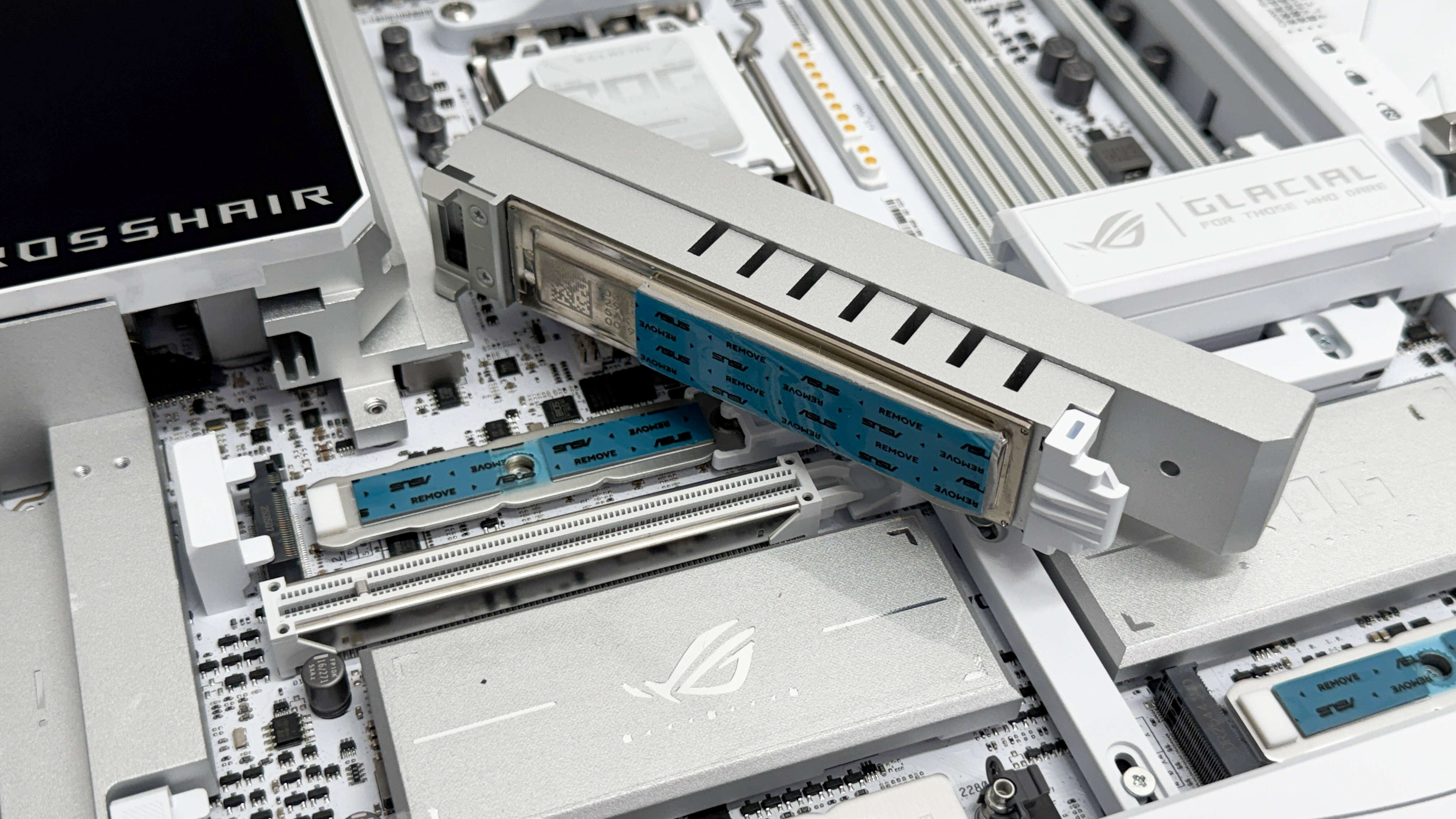
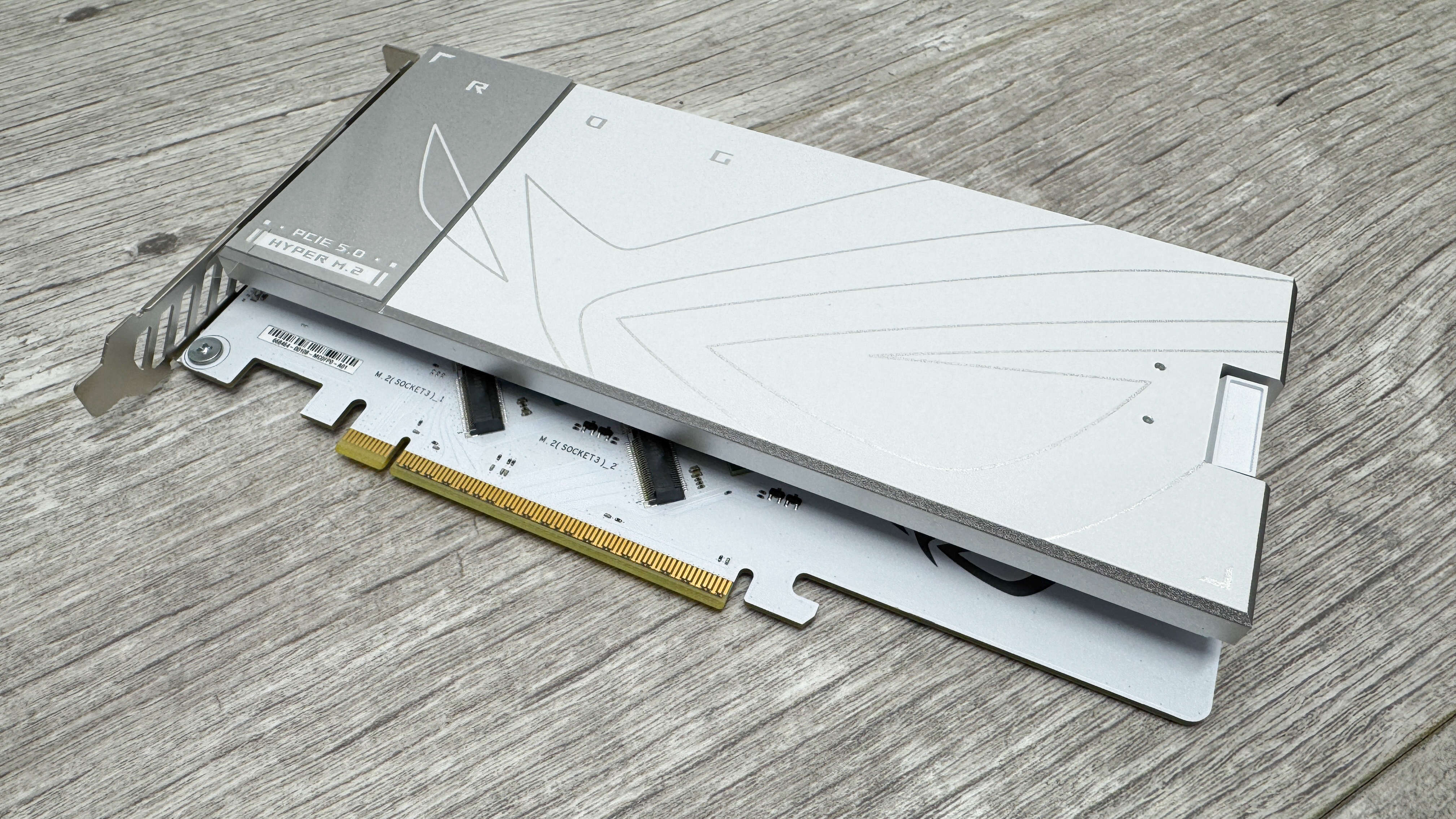
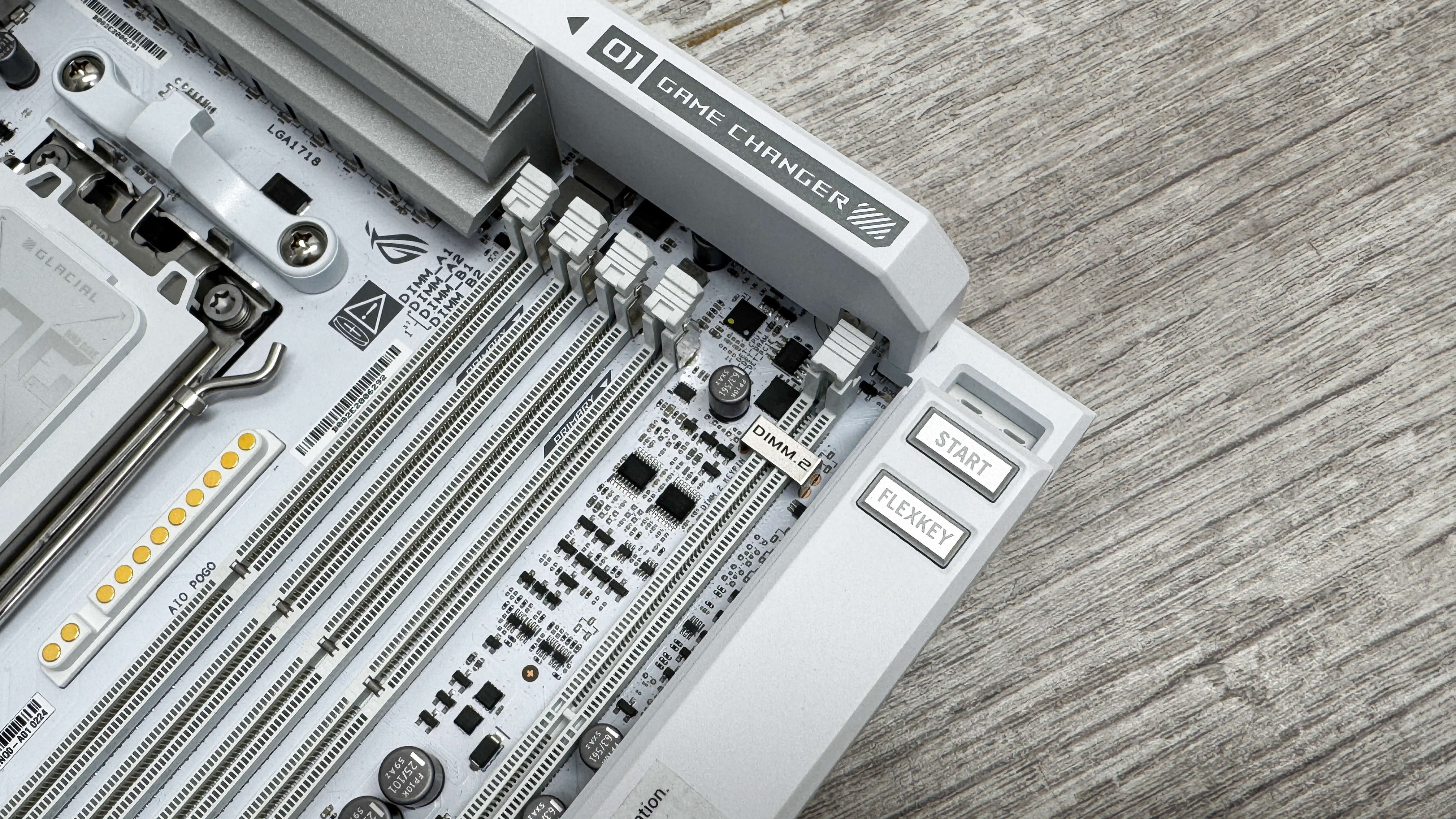
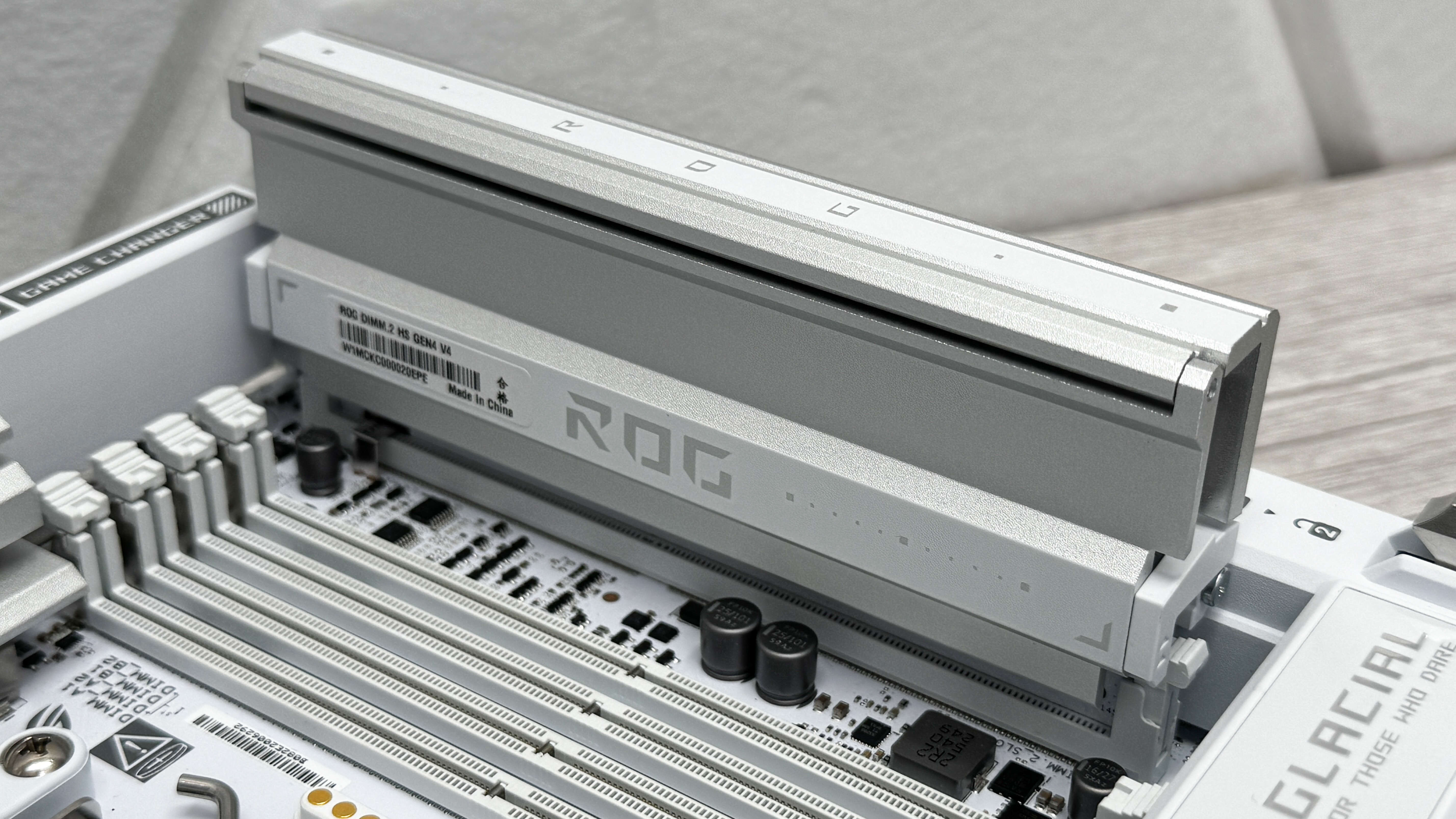
The other four are located in pairs on both a DIMM.2 module next to memory slots and on a PCIe expansion card. The former houses a pair of PCIe 4.0 M.2 ports while the latter has two PCIe 5.0 M.2 ports that are cooled by a single massive heatsink. Sadly, you’ll need to drop your GPU’s PCIe lane count to eight if you want to use the expansion card and of the two PCIe 4.0 M.2 ports on the additional DIMM.2 card, one only has two lanes.
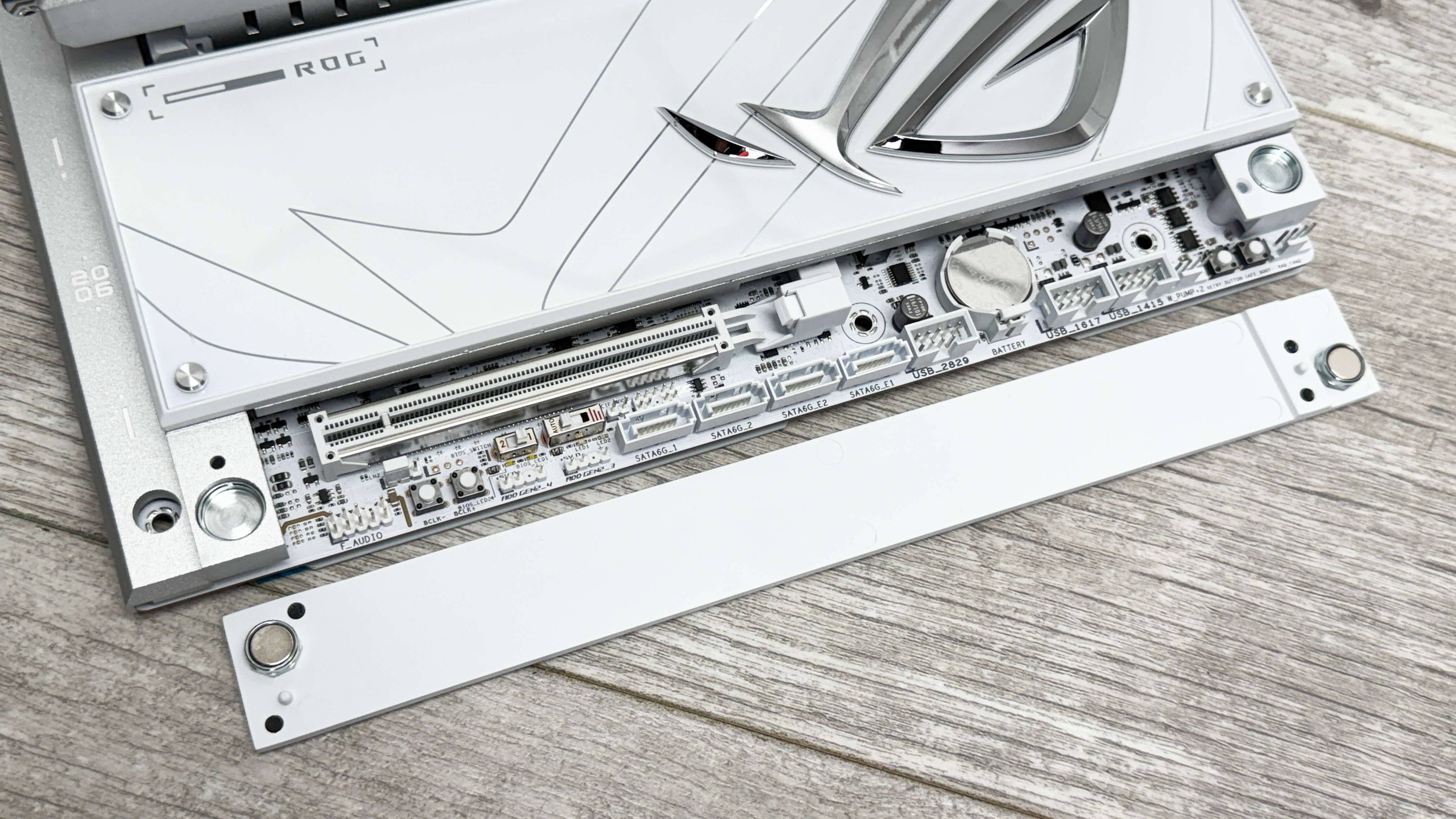
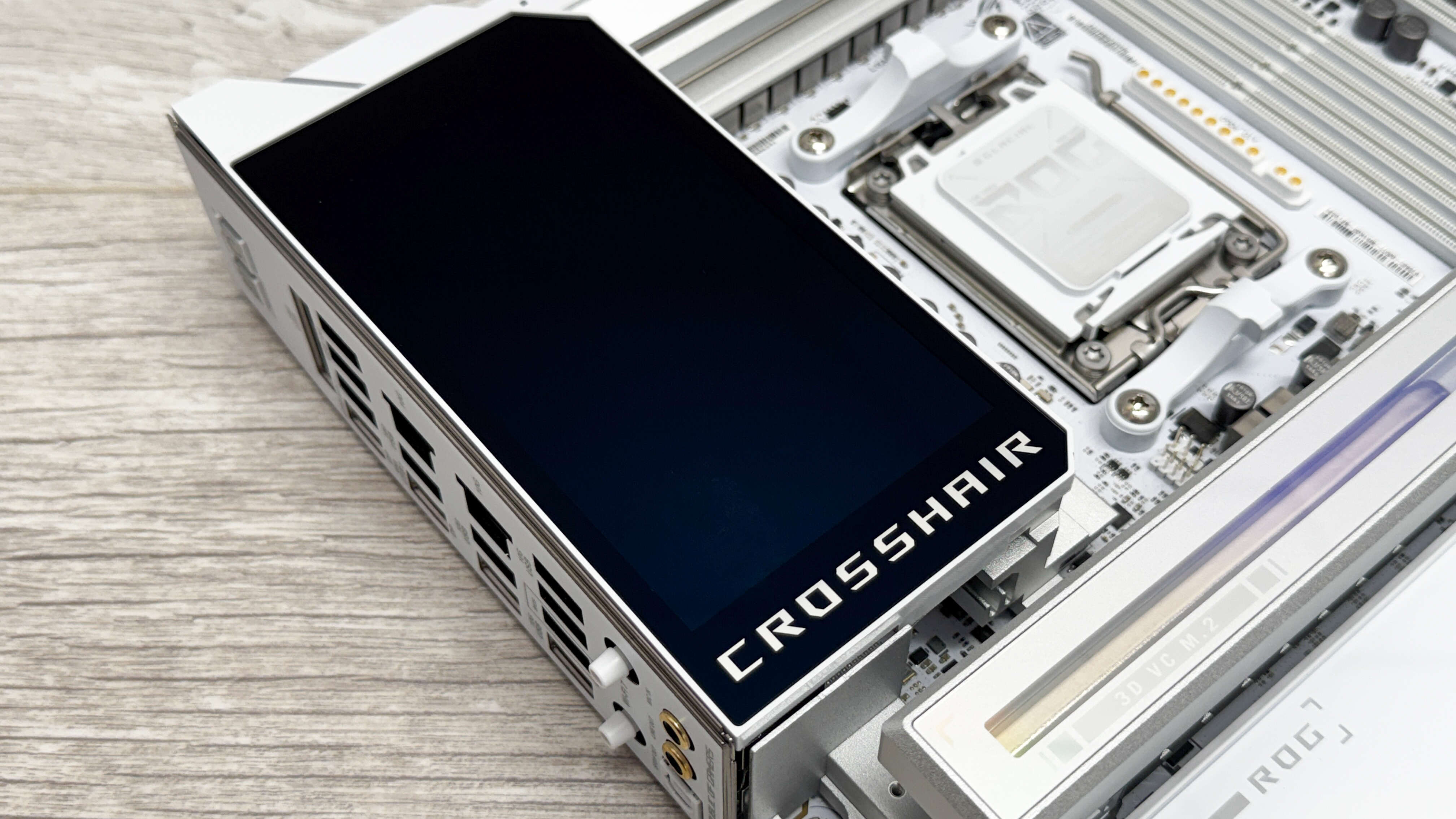
The five inch screen is configurable in the board’s software, both with preset displays offering animated graphics and system sensor data or with your own designs. It can also slide forwards to make room for rear case fans. It’s one of the largest displays we’ve seen on a motherboard and looks absolutely stunning too. On the other side of the board is a small removable fascia that hides a magnetic mount for a memory cooling fan. It’s cable-free and uses contact pins for speed and power while being tuneable in the software or EFI as normal.
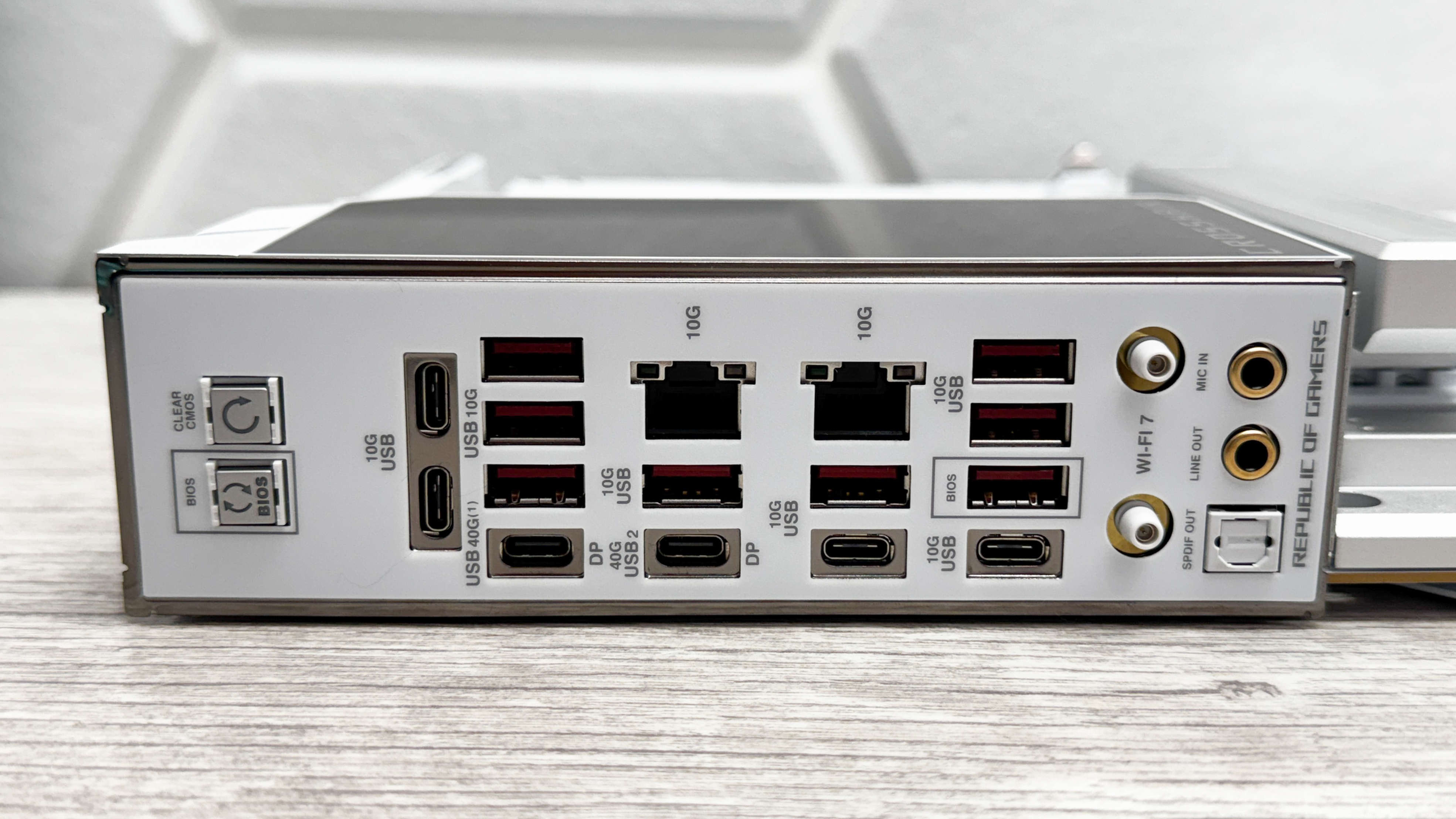
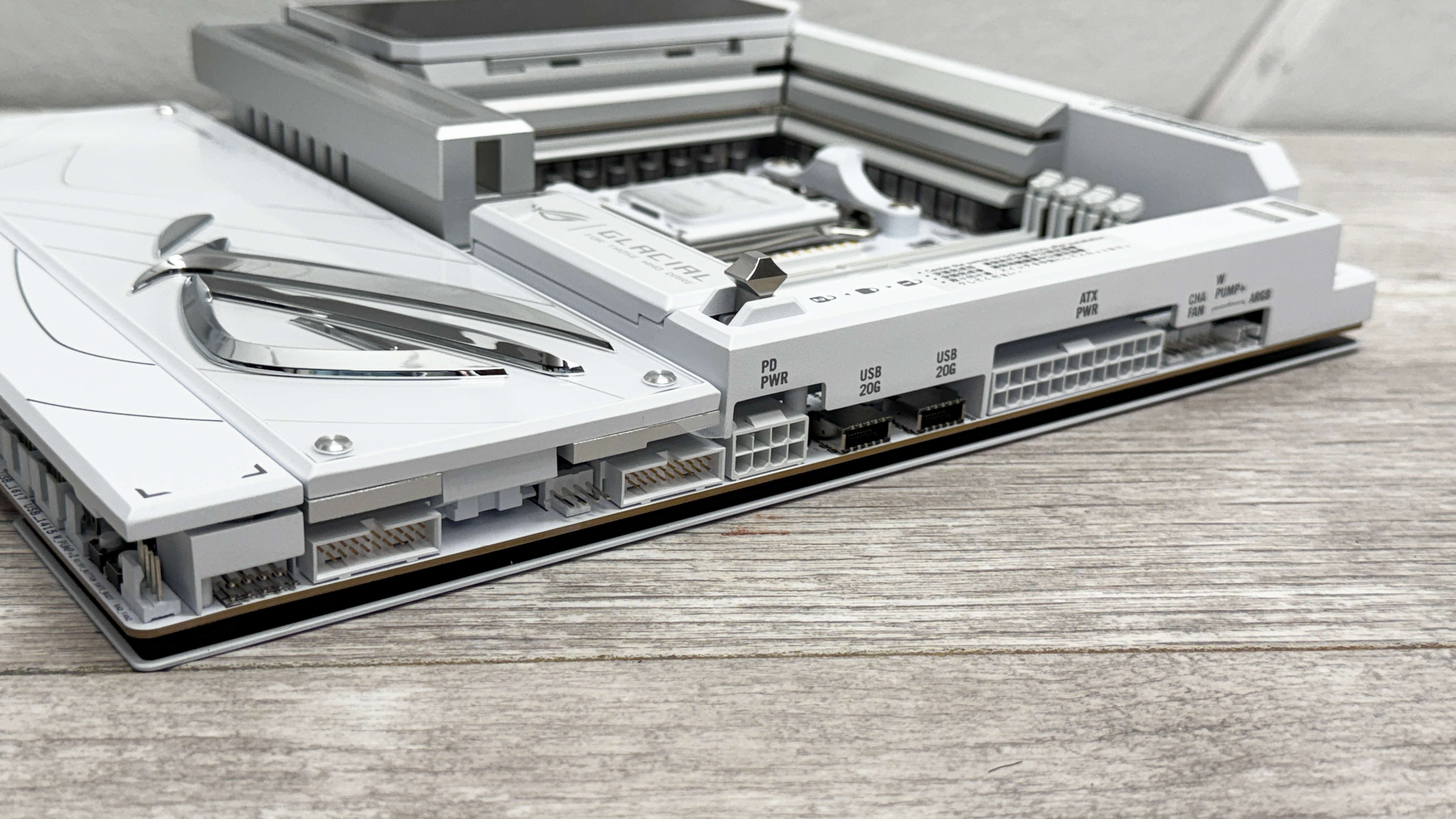
Other perks of the monstrous price tag are 60 W power delivery over the front panel Type-C header, an ESS audio DAC and a pogo pin connector for compatible ASUS wireless AIO liquid coolers. The Rear I/O panel has even more eye-popping features such as six USB Type-C ports including a pair of USB4 ports and a pair of 10 Gbps Ethernet ports for what is possibly a first on a consumer-focussed motherboard.
This is all in addition to practically every tweaking and overclocking feature you can imagine such as power and reset buttons, dual BIOS switch, 2-pin thermistor header, LED POST code display eight fan headers, two of which capable of dishing out a massive 36W.
Overclocking and fine-tuning your fans is easy thanks to an excellent EFI, but it’s one that’s appealing to both newcomers and hardcore overclockers too so whatever angle you’re coming from, it won’t disappoint. The software is a little bloated and requires you to install multiple apps just to get at the more popular fan control and RGB lighting areas, but they make it simple to control your fans, lighting and the LCD screen from within Windows.
The VRM temperature peaked at 56 °C on our open air test bench leaving lots of room for overclocking with more cores than our Ryzen 9 9900X CPU. The individual chipset heatsinks saw some impressively low temperatures too with the peak across the dual X870 chipsets being 41 °C, which is one of the lowest AMD results we’ve seen.
Image 1 of 2
Gaming performance
| Product | Value |
|---|---|
| Asus ROG Crosshair X870E Glacial | 114 Avg FPS, 82 1% Low FPS |
| MSI MEG X870E Godlike X | 111 Avg FPS, 72 1% Low FPS |
| MSI MEG X870E Ace Max | 113 Avg FPS, 84 1% Low FPS |
| ASRock X870 Nova WiFi | 109 Avg FPS, 72 1% Low FPS |
| Gigabyte X870E Aorus Pro | 111 Avg FPS, 78 1% Low FPS |
| NZXT N9 X870E | 116 Avg FPS, 76 1% Low FPS |

The average CPU package power in games of 117 W and peak power in heavy processing of 170 W was a little higher than the average, but with so many extra components such as dual 10 Gbps Ethernet ports, DIMM.2 module, expansion card and memory fan, this was going to be a possibility. The best SSD temperature was using the PCIe expansion card where we recorded a peak of 61 °C. However, the onboard heatsinks were 10 °C and 16 °C warmer so the card is potentially worth using if you want the best temperatures, especially for multiple SSDs.
There’s little doubt the ASUS ROG Crosshair X870E Glacial is probably the most crazy and ultra high-end motherboard we’ve ever seen. While its price tag means it’s firmly out of reach for all but a select few, it’s a rare case of being more than just willy waving. It’s beautiful, dripping with cutting edge features, has fantastic cooling and doesn’t fall short in any single area, except if you were expecting an integrated waterblock like previous models have often had.
Image 1 of 3
Plenty of similar boards have failed to make us consider taking out a bank loan, but ASUS has definitely managed it here. The ROG Crosshair X870E Glacial can keep your hardware cool, house up to seven SSDs, has dual 10 Gbps Ethernet ports, 60 W front panel Type-C power delivery and dials visual prowess and unique features up to 11.
Even opening its accessory box feel like a premium experience. Ultimately, we’re highly envious of anyone that gets to experience building a PC using this motherboard. In the same way a Bugatti Chiron is something nearly all of us will never get close to owning, most have been glued to reviews and drag races featuring it, and seeing one in person would be a special experience. In the same way, we can all aspire to owning the ROG Crosshair X870E Glacial and appreciate the fact it exists, even if we’ll never own it.